



Terminally Chill ZSH Config
A fast, extensible terminal config for ZSH — optimized for Node.js developers on macOS and Linux.
Report Bug
·
Request Feature
About

A curated ZSH configuration that gives you a productive shell out of the box. It includes lazy-loaded nvm, a beautiful prompt via Powerlevel10k, syntax highlighting, autosuggestions, and a handful of useful functions and aliases — all while keeping shell startup fast.
Built With
Getting Started
Prerequisites
- A unix-based system (tested on macOS and Linux)
- nvm (for Node.js version management)
Installation
make install
This will:
- Back up your existing dotfiles to
~/.backup_profiles/<timestamp>/ - Install Homebrew if not already present
- Install Oh My ZSH, Powerlevel10k, zsh-autosuggestions, and zsh-syntax-highlighting
- Install Crush (AI coding assistant), Node LTS via nvm, and Yarn via corepack
- Copy the config files from
lib/to your home directory - Launch a new ZSH session
Development Setup
To enable pre-commit hooks (shellcheck + startup time benchmark):
make setup
To run checks manually:
make test
Reverting
To restore your previous shell config from the most recent backup:
make revert
Usage
Run tch to see all available functions and aliases:
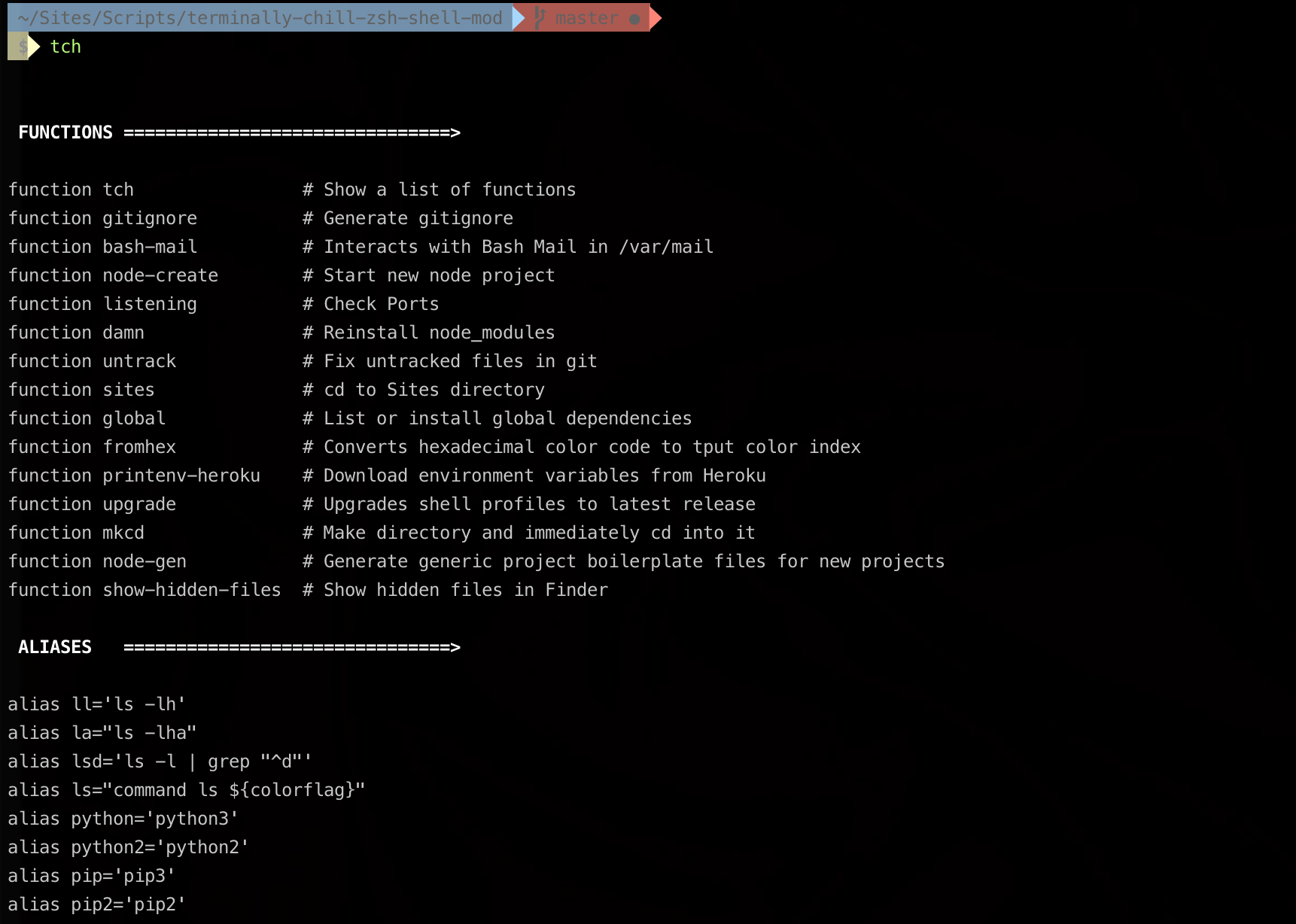
Functions
| Command | Description |
|---|---|
tch |
List all custom functions and aliases |
listening [pattern] |
Show listening TCP ports, optionally filtered |
damn [yarn\|npm] |
Delete node_modules and reinstall |
mkcd <dir> |
Create a directory and cd into it |
gitignore <lang> |
Generate a .gitignore via gitignore.io |
untrack |
Remove cached files from git and recommit |
upgrade |
Update Oh My ZSH to the latest version |
show-hidden-files |
Toggle hidden files visible in macOS Finder |
fromhex <hex> |
Convert a hex color to a tput color index |
mcp-add [json] |
Add an MCP server to ~/.mcp-servers.json (guided or JSON) |
mcp-remove <name> |
Remove an MCP server from ~/.mcp-servers.json |
mcp-list |
List configured MCP servers |
mcp-init |
Init MCP servers in current project from ~/.mcp-servers.json |
Aliases
| Alias | Command | Description |
|---|---|---|
ll |
ls -lh |
Long listing with human-readable sizes |
la |
ls -lha |
Long listing including hidden files |
lsd |
ls -l \| grep "^d" |
List only directories |
python |
python3 |
Default to Python 3 |
pip |
pip3 |
Default to pip 3 |
Customization
Extend your shell by editing the corresponding files in lib/:
| File | Purpose |
|---|---|
.path |
Extend $PATH |
.exports |
Environment variables and nvm lazy-loading |
.aliases |
Shell aliases |
.functions |
Shell functions (shown by tch) |
.extra |
Color definitions and settings you don’t want to commit |
.secrets |
API keys and tokens (gitignored, never committed) |
.bash_profile |
Personal variables (e.g., GITHUB_USER) |
.bash_prompt |
Bash fallback prompt (ZSH uses Powerlevel10k) |
.zshrc |
Oh My ZSH config, plugins, and theme settings |
Note: Copy
lib/.secrets.exampleto~/.secretsand fill in your values. This file is sourced automatically but never committed.
MCP Servers
Manage Claude Code MCP server configs from a central dotfile (~/.mcp-servers.json), then apply them to any project.
# Add a server via JSON
mcp-add '{"mcpServers":{"my-server":{"command":"node","args":["server.js"]}}}'

# Or use the guided prompt
mcp-add

# List, remove, and init
mcp-list
mcp-remove my-server
mcp-init  # writes ~/.mcp-servers.json into .claude/settings.json
Requires jq (brew install jq).
Performance
Shell startup is optimized with:
- Powerlevel10k instant prompt — the prompt renders immediately while the rest of ZSH loads in the background
- Lazy-loaded nvm —
nvm,node,npm, andnpxare wrapper functions that only source nvm on first use, saving ~200-800ms - Single compinit — completion init runs once via Oh My ZSH with a cached zcompdump
- Conditional iTerm2 integration — escape sequences only run when inside iTerm2
Oh My ZSH Plugins
The following plugins are enabled by default:
git— Git aliases and completionszsh-autosuggestions— Fish-like command suggestionsnode— Node.js completionssudo— Press Esc twice to prependsudodocker— Docker completions and aliases
Roadmap
See the open issues for proposed features and known issues.
Contributing
Contributions are greatly appreciated. Check out the issues page.
- Clone the repo
- Create your feature branch (
git checkout -b release/my-feature) - Commit your changes (
git commit -m 'add: my feature') - Push to the branch (
git push origin release/my-feature) - Open a Pull Request
License
Distributed under the MIT License. See LICENSE for more information.
Contact
JT Houk — @HoukasaurusRex